Data Visualization with ggplot2
1NDMC, EPHI 2DMU & C4ED
April 28 – May 1, 2026

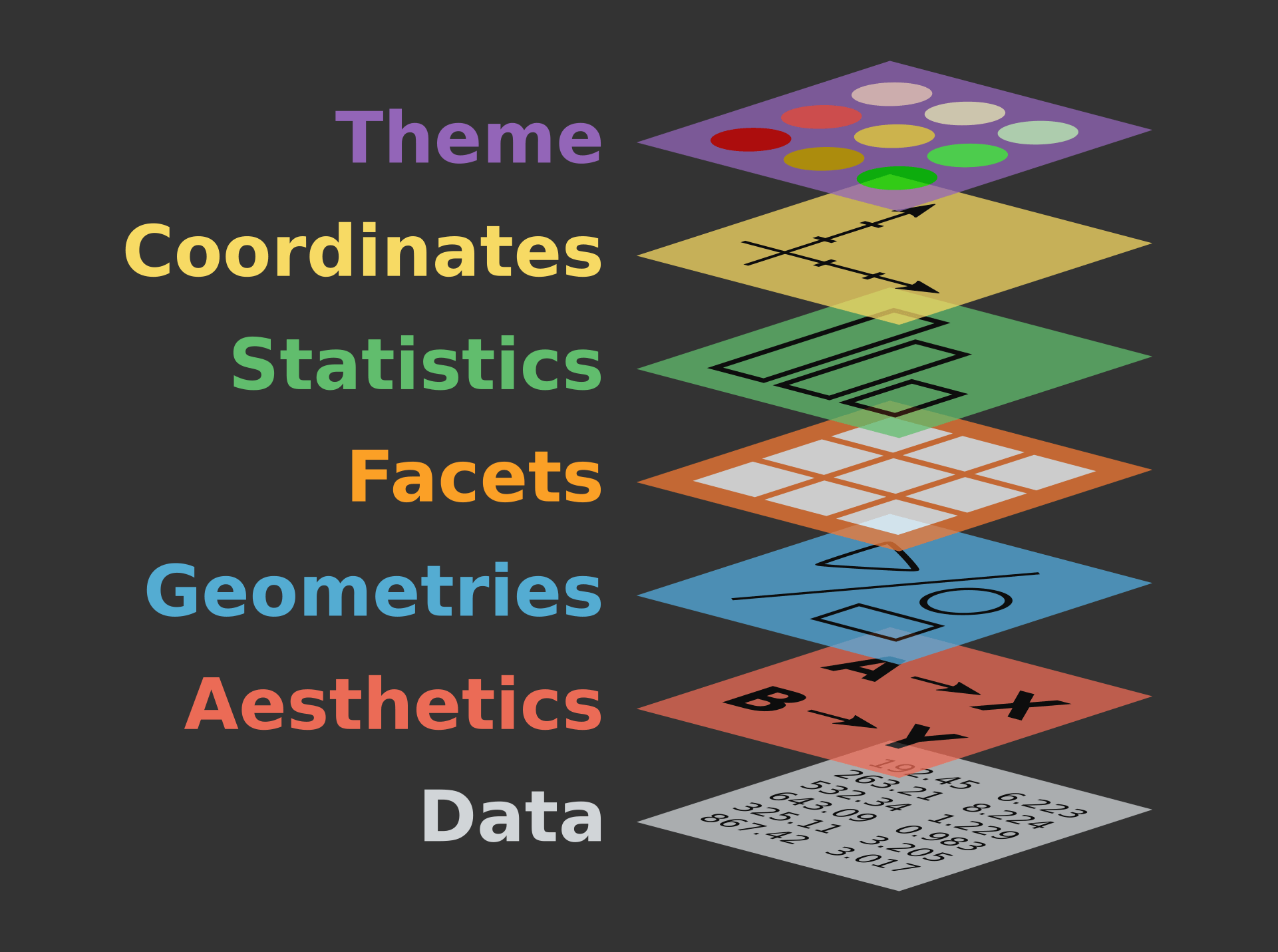
Components of the layered grammar
- Data — raw dataset
-
Aesthetics — map variables to
x,y,colour… (aes()) -
Geometries — shapes that draw the data (
geom_*()) -
Facets — sub-plots by group (
facet_wrap()) -
Statistics — computed summaries (
stat_*()) -
Coordinates — axis system (
coord_*()) -
Theme — fonts, grid, background (
theme())
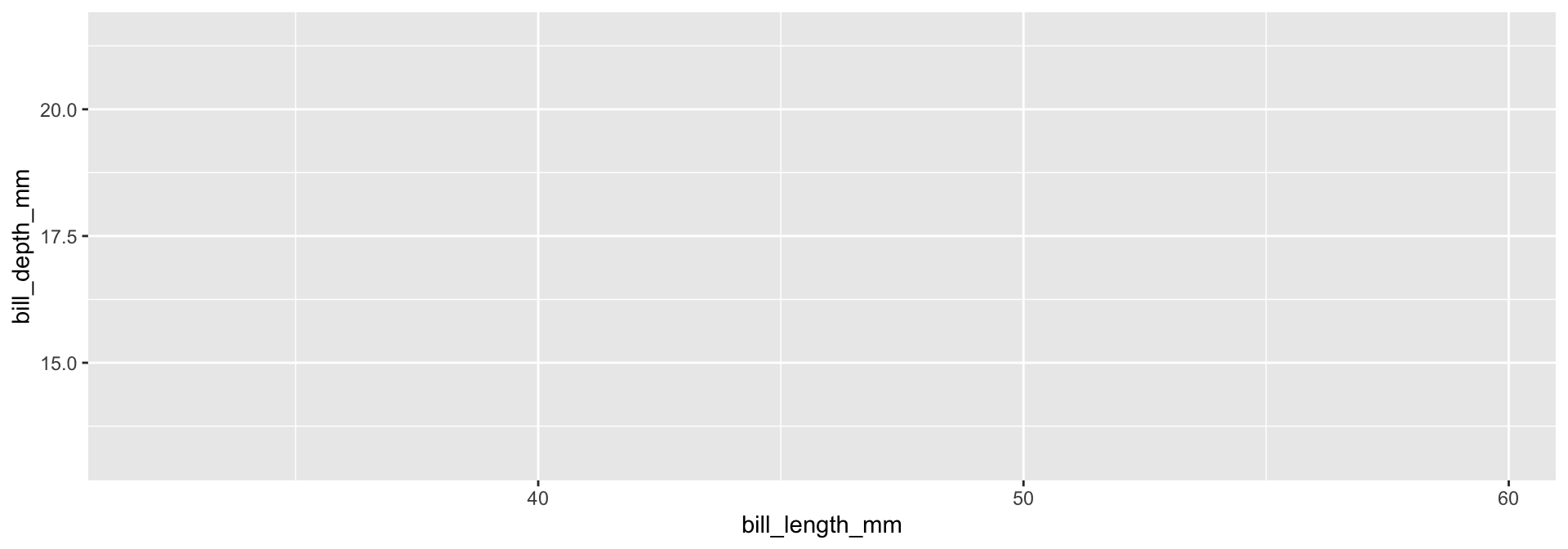
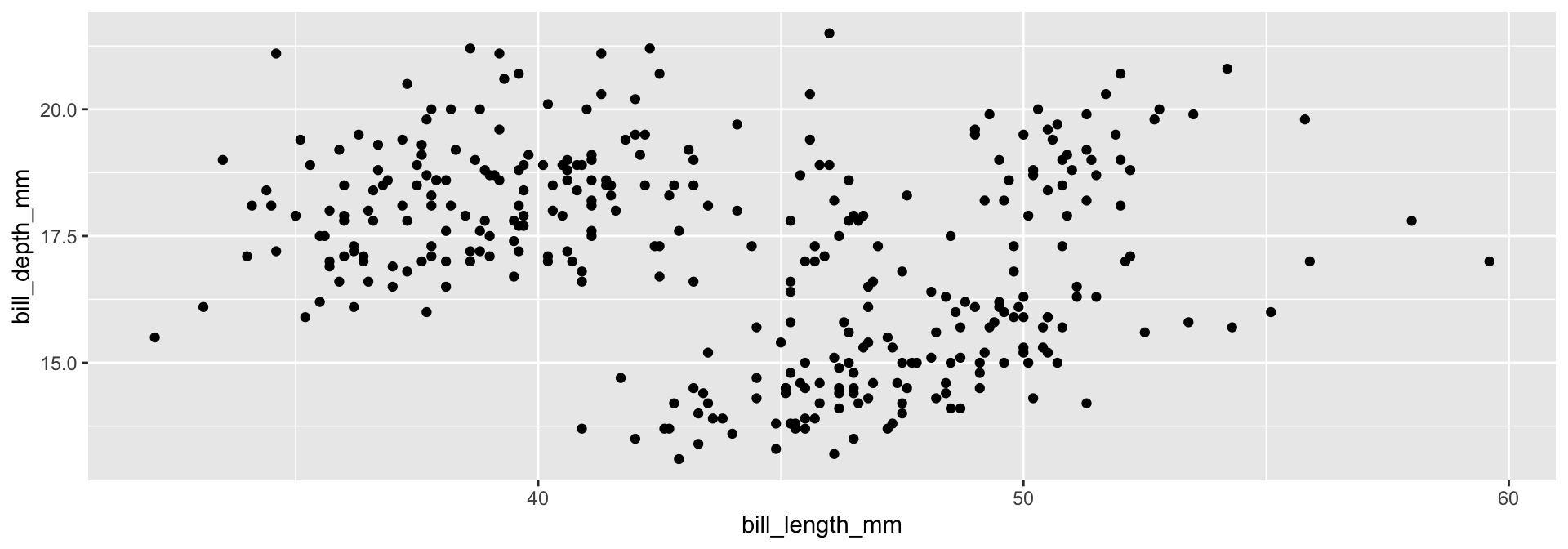
Building a Plot Layer by Layer
We use the penguins dataset (Palmer Archipelago, Antarctica) as a familiar reference before applying skills to surveillance data.

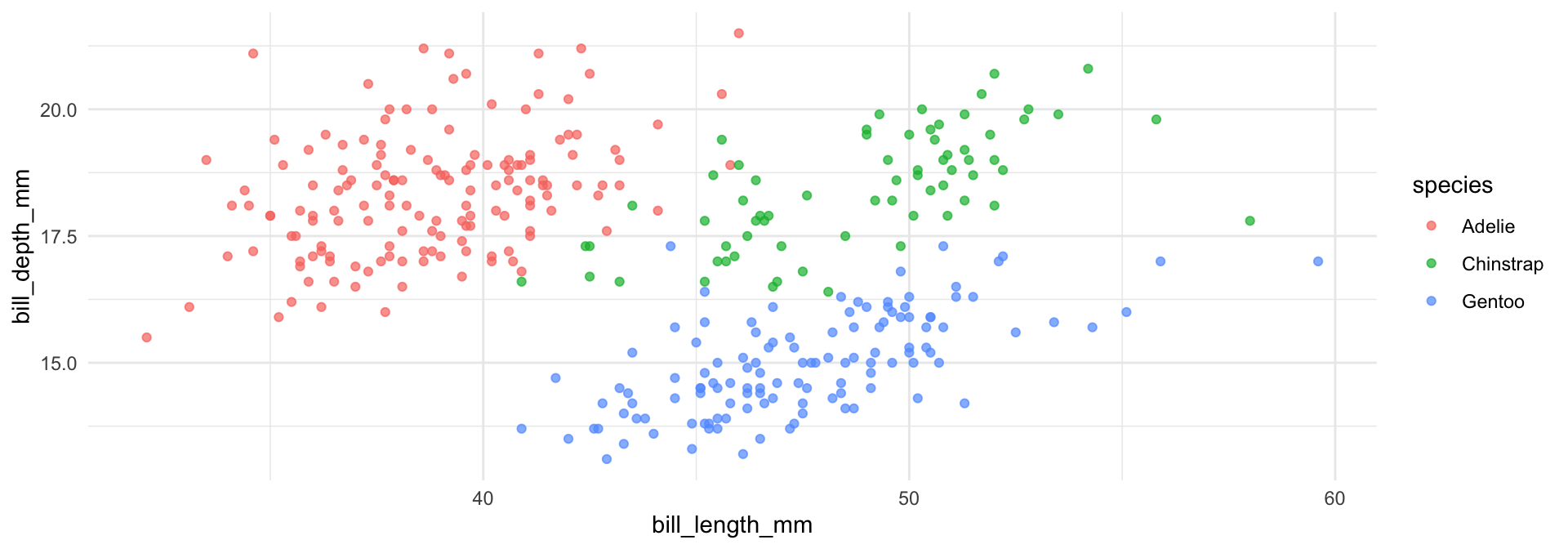
Part 1: Visualising Categorical Variables
Bar Chart with geom_bar()
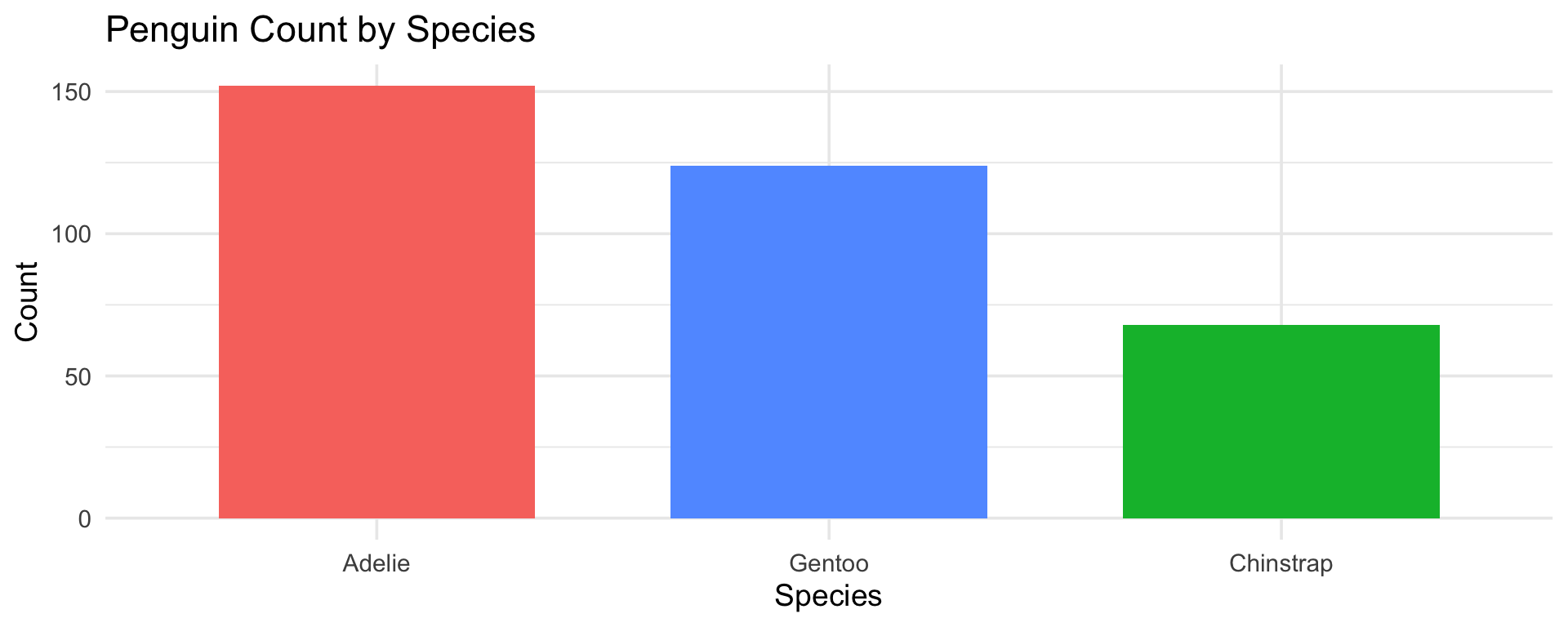
Tip
fct_infreq() orders bars by frequency — always more informative than alphabetical ordering.
Stacked Bar Chart — Two Categorical Variables
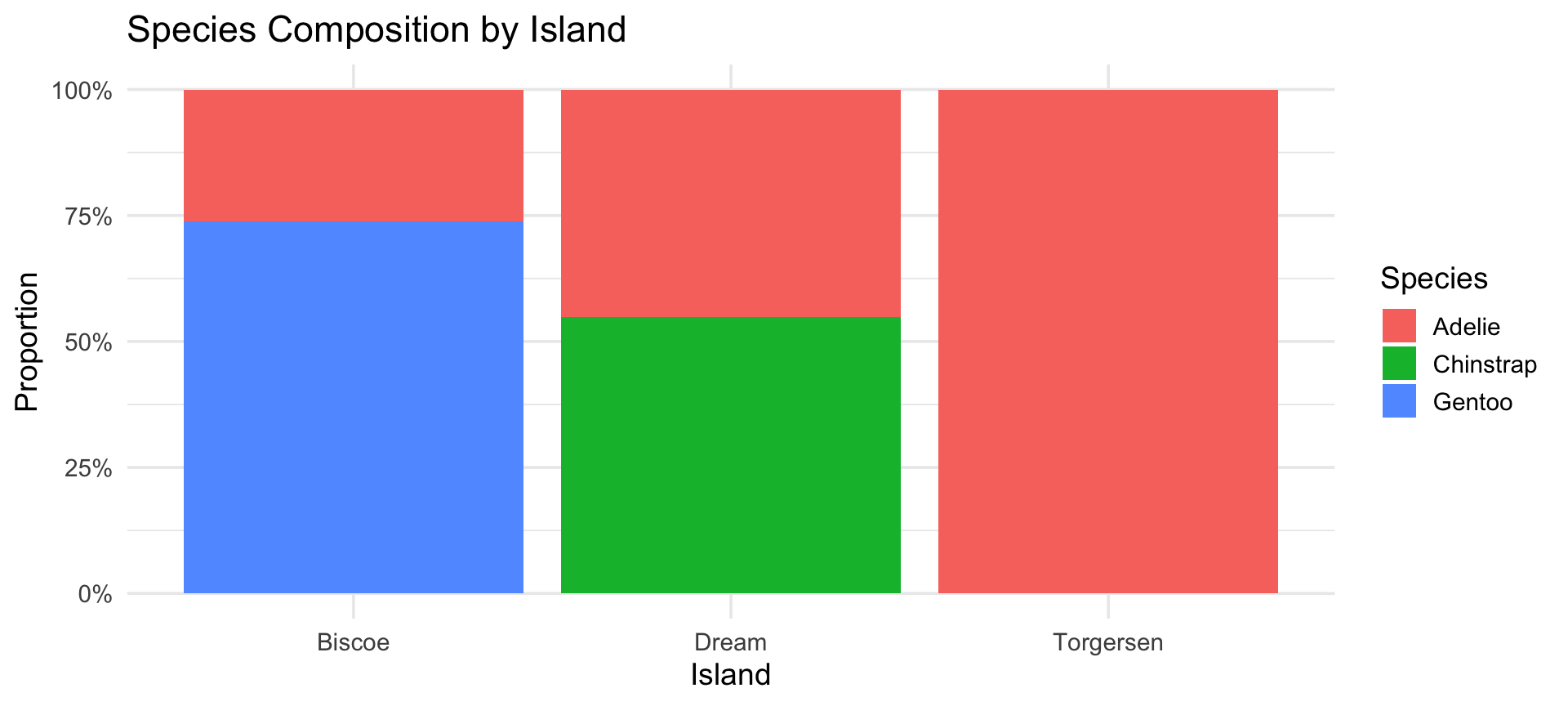
Part 2: Visualising Numerical Variables
Histogram with geom_histogram()
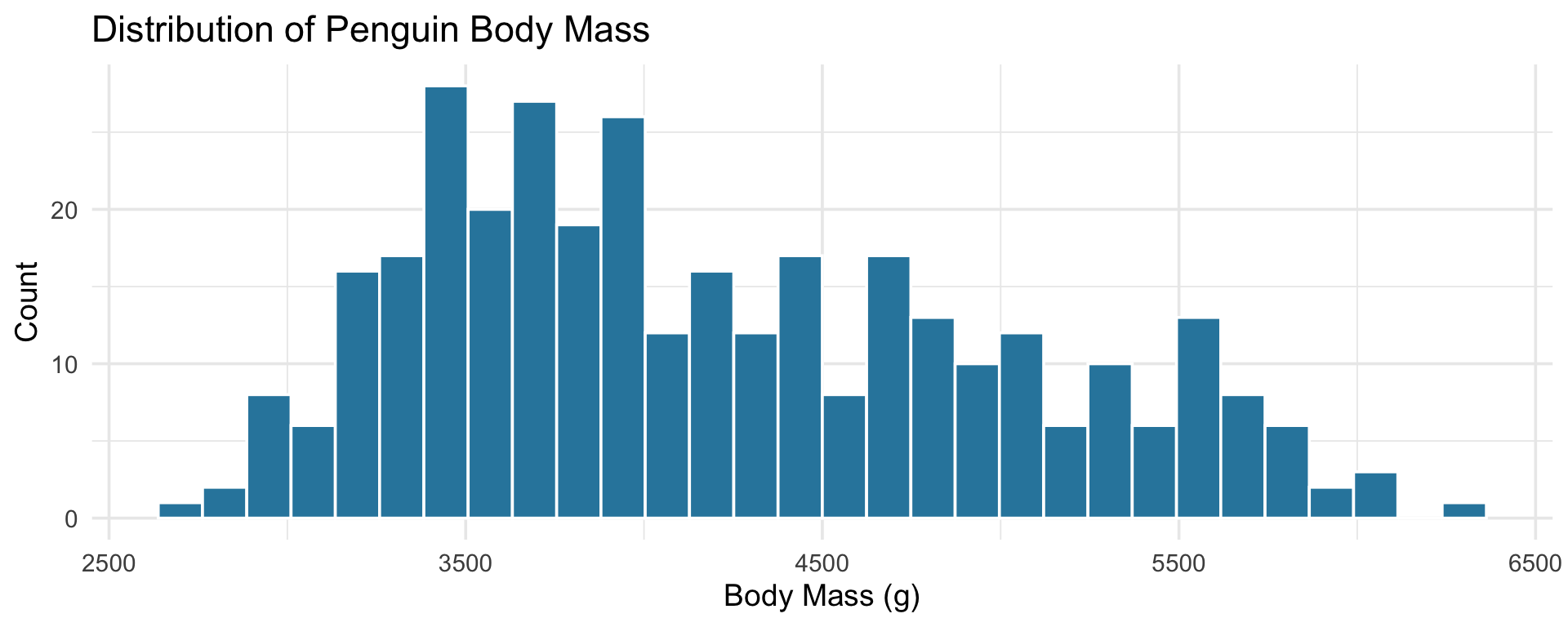
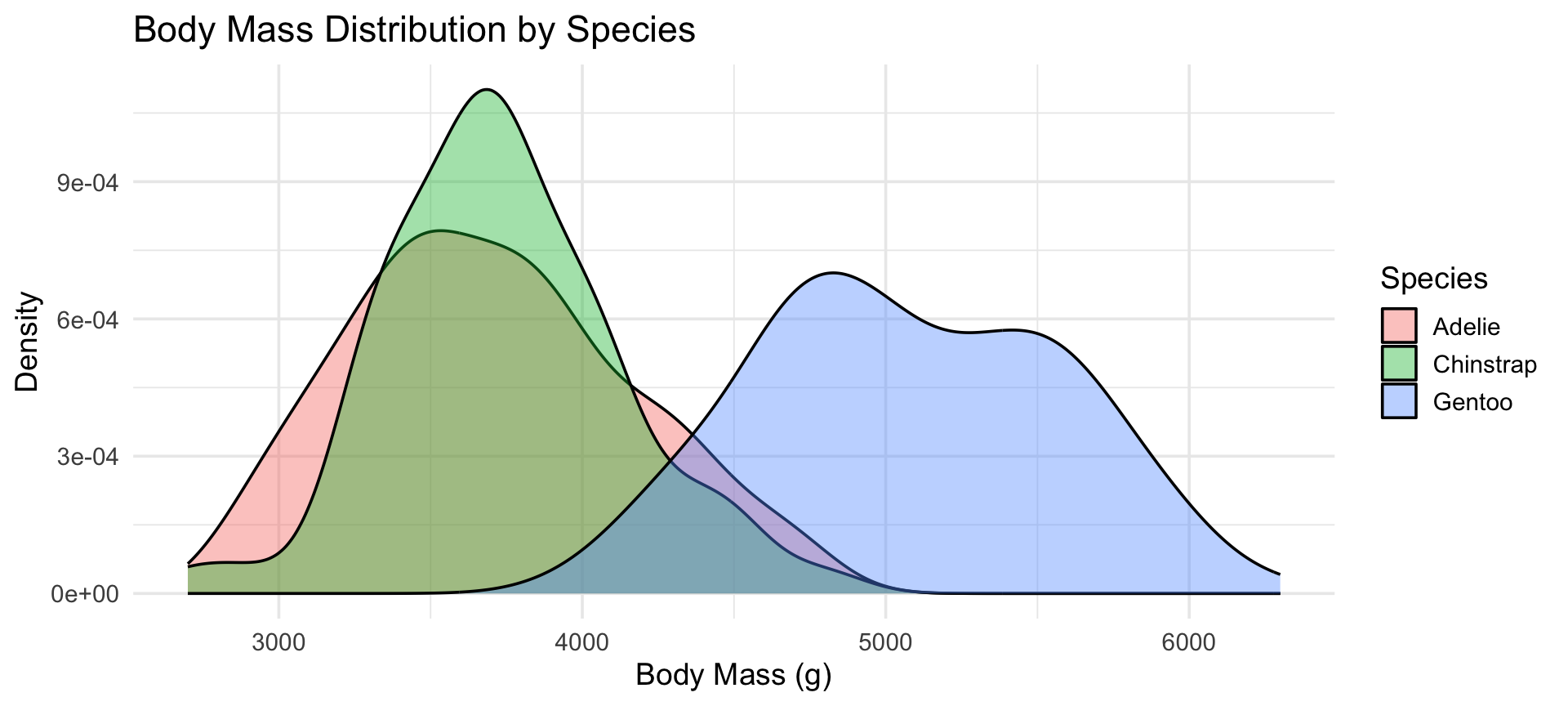
Density Plot — Comparing Groups
Tip
Density plots are ideal for comparing distributions when group sizes differ — common in age-stratified epidemiology.
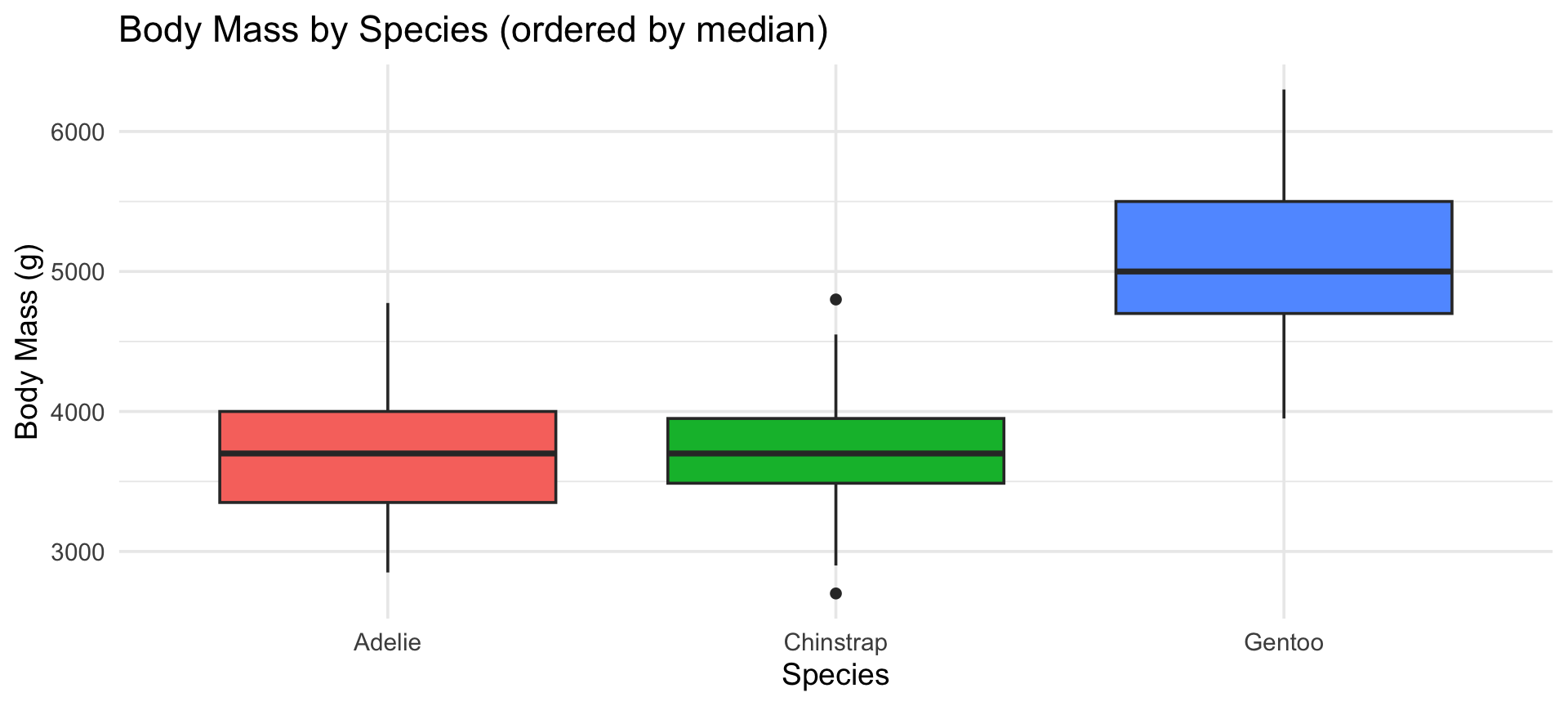
Boxplot — Distribution Across Categories
Part 3: Relationships Between Variables
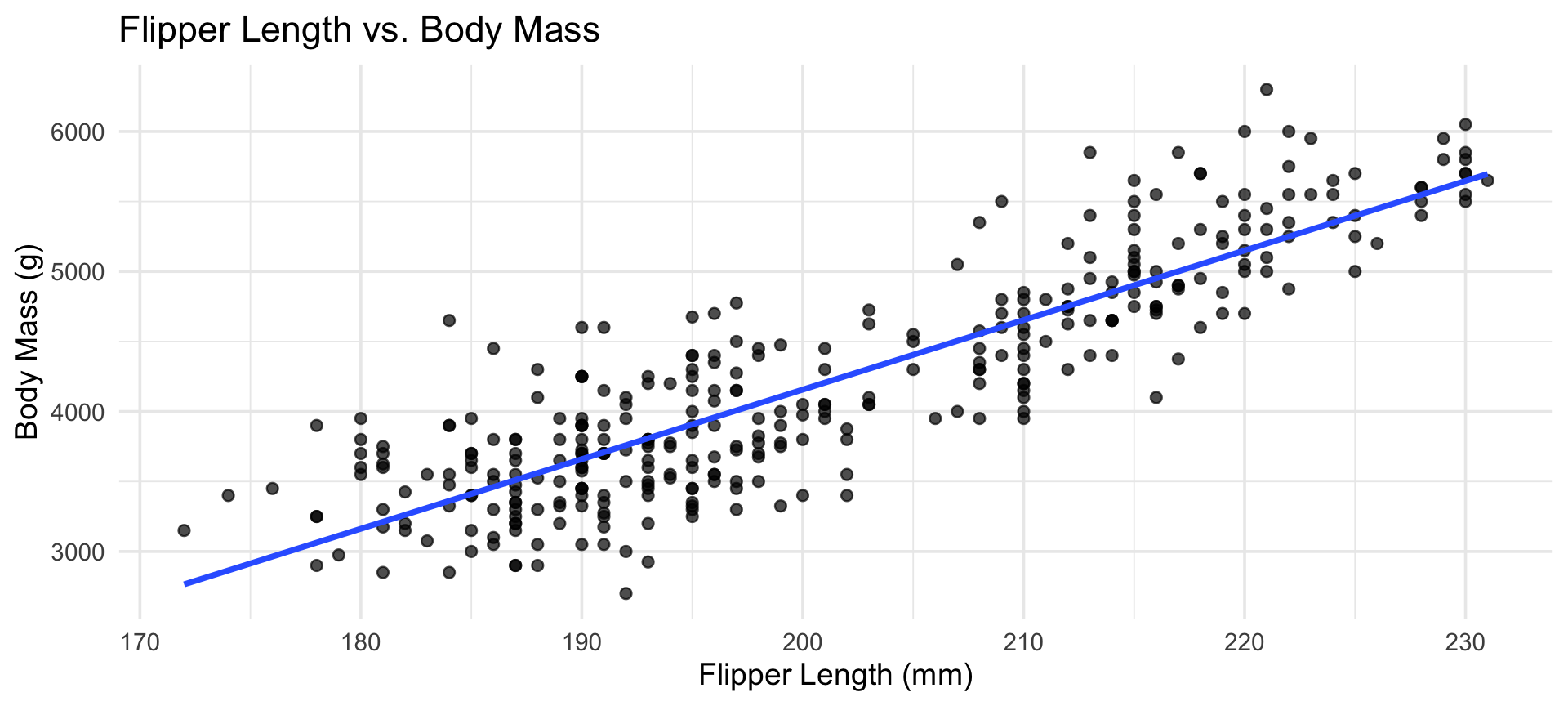
Scatter Plot with Regression Line
Facets — Small Multiples
Facets create a separate panel for each level of a grouping variable.
Code
ggplot(penguins,
       aes(x = flipper_length_mm, y = body_mass_g,
           colour = species)) +
  geom_point(alpha = 0.7) +
  facet_wrap(~species) +
  labs(title = "Flipper Length vs. Body Mass by Island",
       x = "Flipper Length (mm)", y = "Body Mass (g)") +
  theme_minimal(base_size = 13) +
  theme(legend.position = "bottom")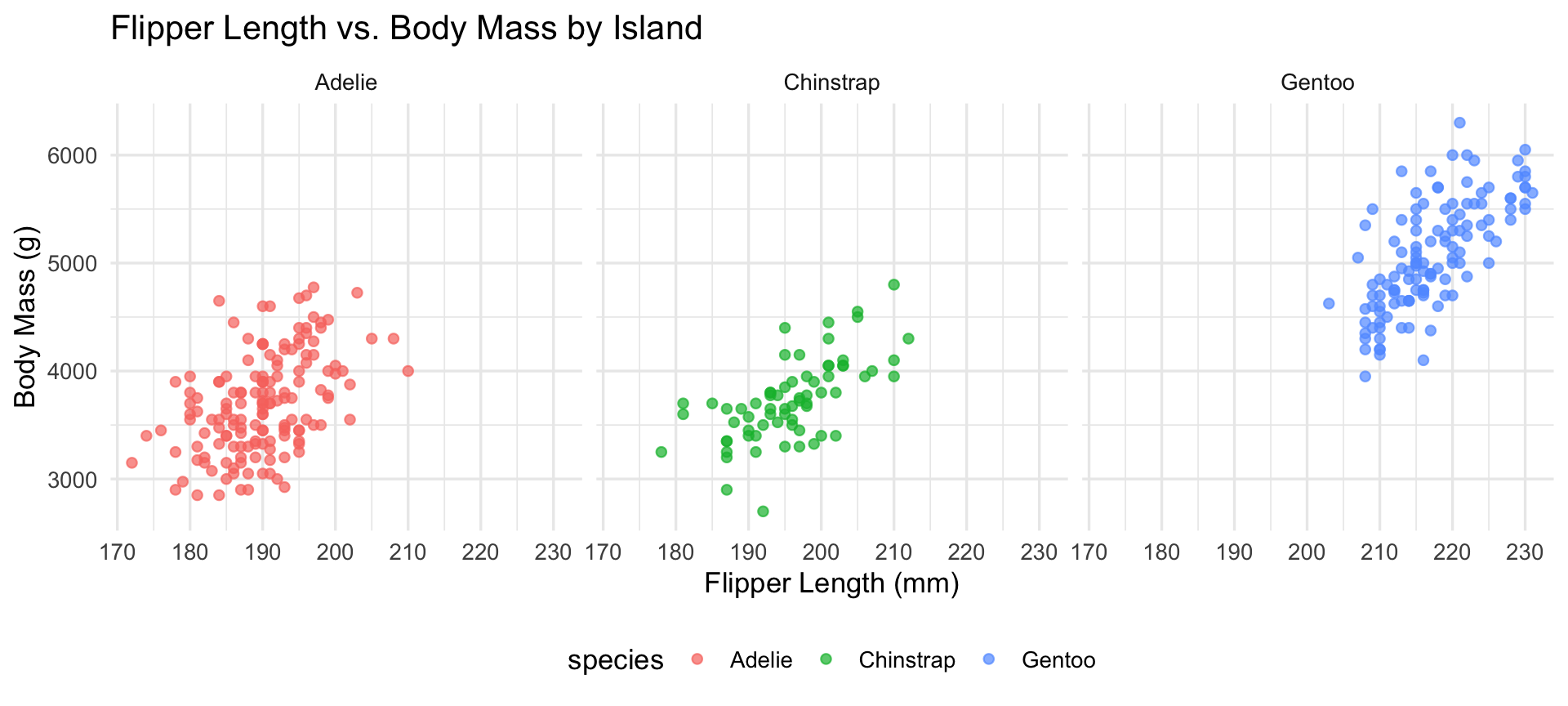
Part 4: Time Series
Code
# Using measles data
measles_ts_data <- read_csv("data/measles_ts_data.csv", show_col_types = FALSE)
measles_ts_data |>
  ggplot(aes(x = date, y = measles_total)) +
  geom_line(color = "steelblue", linewidth = 0.9) +
  geom_point(color = "steelblue", size = 0.6) +
  labs(title = "Monthly Measles Cases (2012-2024)",
       x = "Date", y = "Total cases (monthly)") +
  scale_x_date(date_breaks = "2 year", date_labels = "%Y") +
  theme_minimal(base_size = 14)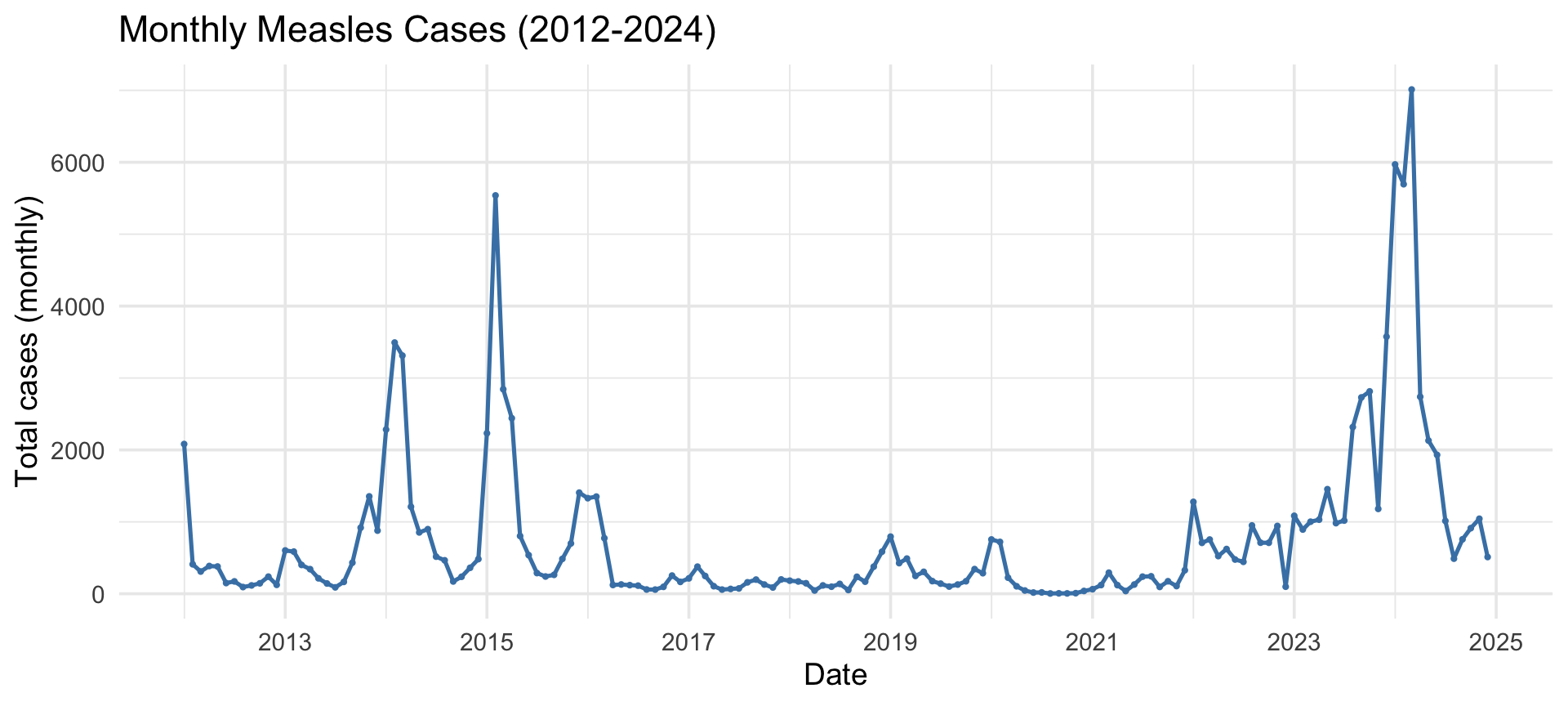
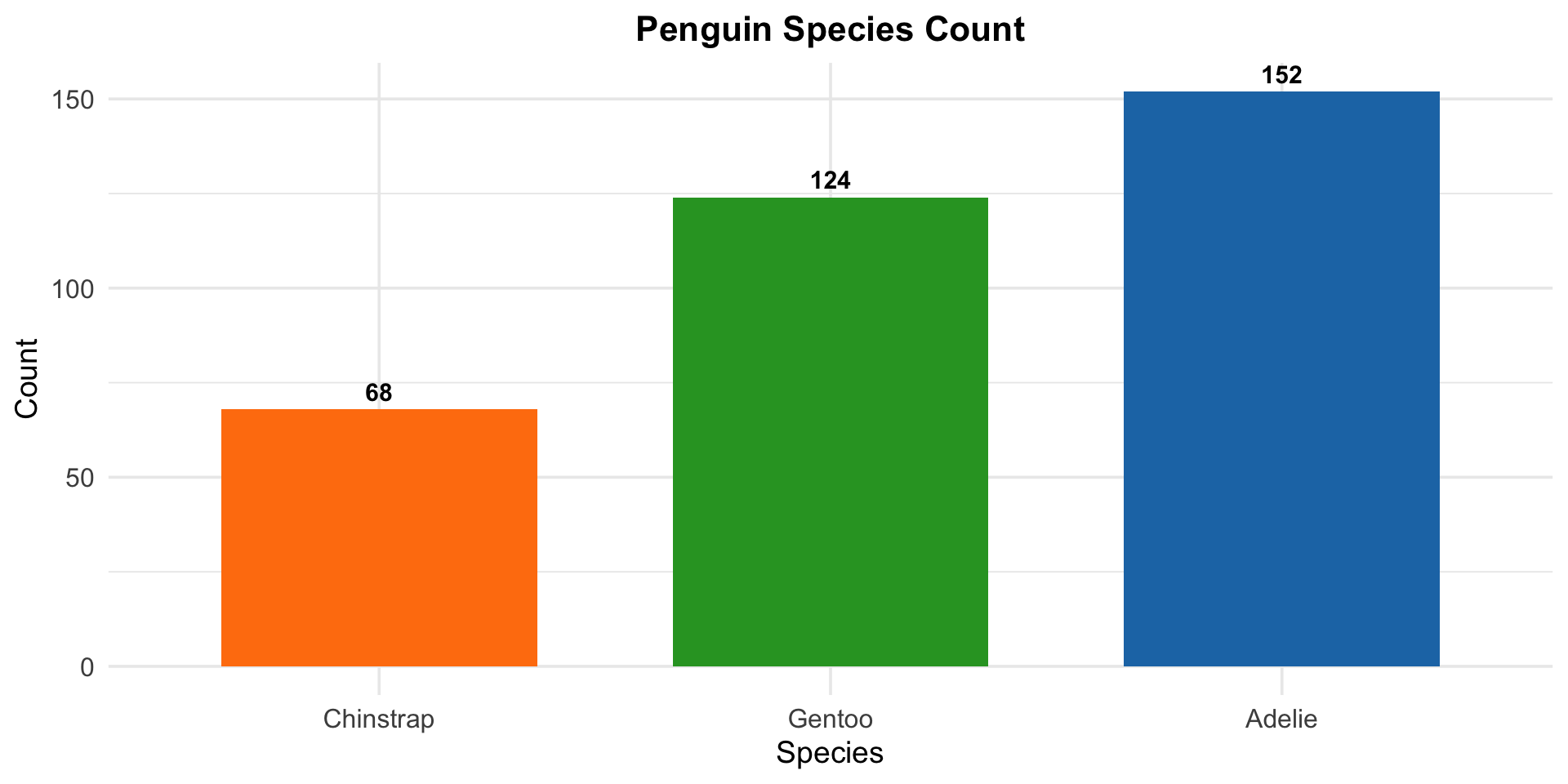
Customising Your Plot
Key theme() elements for polished slides and reports:
Code
ggplot(penguins, aes(x = fct_rev(fct_infreq(species)), fill = species)) +
  geom_bar(show.legend = FALSE, width =0.7) +
  geom_text(stat = "count",
            aes(label = after_stat(count)),
            vjust = -0.5, fontface = "bold", size = 4) +
  labs(title = "Penguin Species Count",
       x = "Species", y = "Count") +
  scale_fill_manual(
    values = c("Adelie" = "#1f77b4", "Chinstrap" = "#ff7f0e",
               "Gentoo" = "#2ca02c")) +
  theme_minimal(base_size = 14) +
  theme(
    plot.title = element_text(face = "bold", hjust = 0.5, size = 16),
    axis.text  = element_text(size = 12)
  )
Exercise 1 — Customised Bar Chart
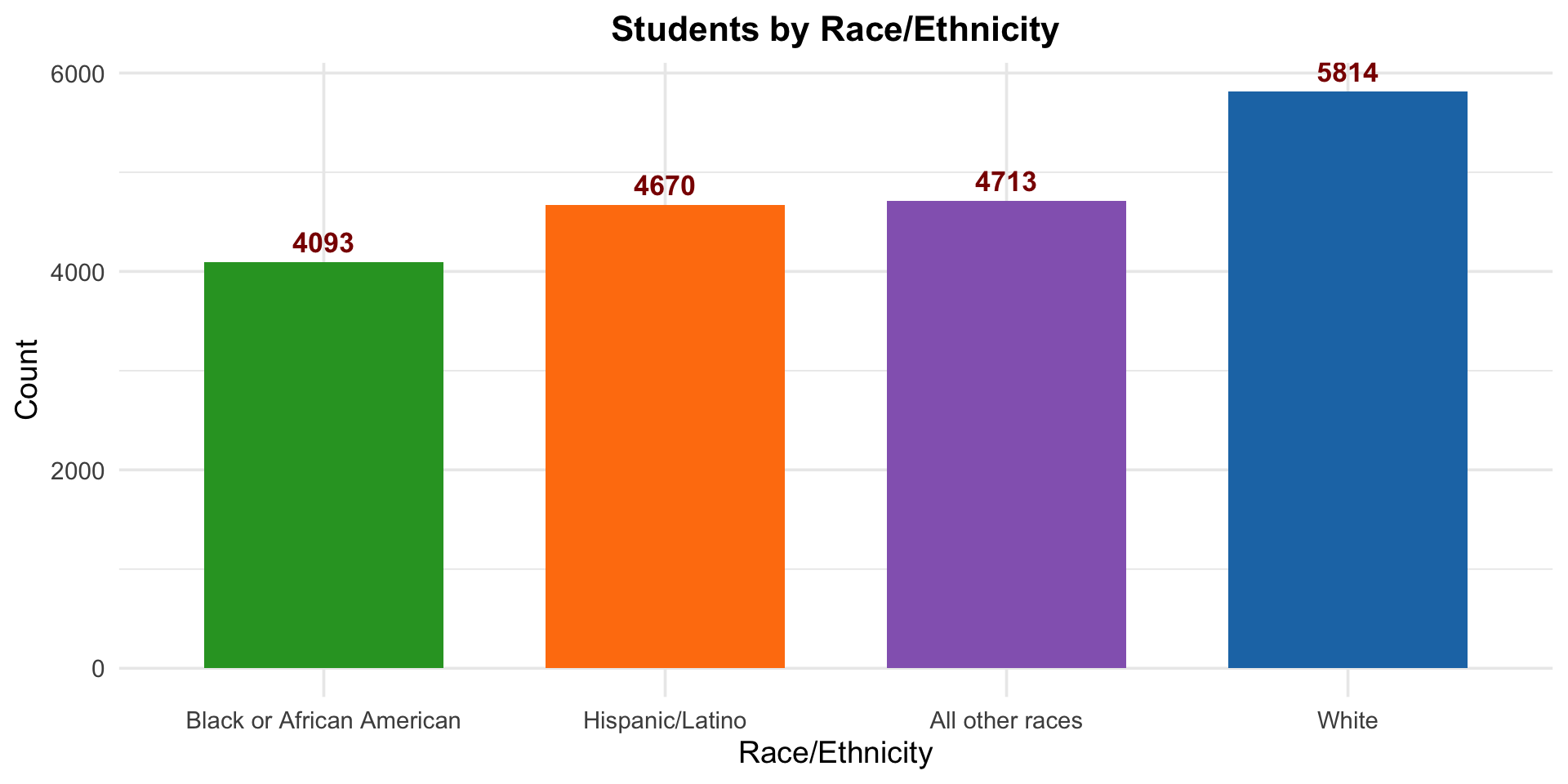
Task: Create a customised bar chart showing the count of students by race/ethnicity (race4).
Requirements:
- Remove missing values from
race4before plotting. - Order categories by frequency, most frequent on the right.
- Add the count as a bold, dark-red label above each bar.
- Use custom fill colours as shown in the figure.
- Center and bold the plot title.
- Use
theme_minimal()with increased base font size.